Policy and Procedure No: E-19-34
Purpose
The following electronic submittal and review procedure shall be performed prior to obtaining individual residential solar photovoltaic permits and before commencing any work.
As an alternative to the City’s standard solar permitting process, SolarAPP+ offers an expedited option for residential solar permits. Licensed contractors may submit eligible roof-mounted photovoltaic systems for automated review. Visit the Solar Permitting with SolarAPP+ webpage for details.
Requirements Prior to Submittal
An approval letter from the Sacramento Municipal Utility District (SMUD) is required prior to submitting any applications for review. You can contact the SMUD’s Solar Team at [email protected] or by phone at (916) 732-6420.
Registration Requirements
All residential solar photovoltaic submittals shall be submitted online using our eTrakit online permit program. To access the program, you must first pre-register with the Building Division.
Don't have an account?
Members of the public can register directly through the site.
Licensed contractor registration
Licensed contractors must apply for an account through the City. After submitting the Licensed Contractor Registration form, you’ll receive a confirmation email.
Processing takes up to 48 hours.
Once registered, you’ll receive a username and instructions to access the site.
Submittal Checklist Items
-
Submittal Documents:
- Application for Permit. Completed and signed.
- Approved SMUD letter.
- Approved CSD Fire Department letter.
-
Plans that include:
- Electrical schematic diagram/single line diagram of system module wiring (series/parallel), disconnects, grounding or bonding, wire, conduit type, size, and number of conductors in each section of conduit], rapid shutdown, D/C color coding.
- When batteries are to be installed include them in the diagram and their locations/rooms and venting. CSD Fire approval required when installing a ESS Battery backup system.
- Site diagram (show arrangement of panels on the roof or ground, location of combiner box, inverter, utility disconnect, main service, show approximate distance from panel to all components, dimension all setbacks to all structures and property lines, generator and transfer locations if applicable).
- Equipment cut sheets including inverters, modules, generators, transfer switch if applicable, etc.
- System KW ________________ capacity.
- Labeling schedule for equipment and electrical hazard per CEC Sec. 110.21(B), 690.13, 690.31, 690.56, 705.10 and 705.12 For Roof Mounted Systems.
-
Photovoltaic systems shall be Class A listed and labeled for fire classification per UL 1703. Provide documentation demonstrating compliance.
-
Identify location and method of rapid shutdown per CEC sec. 690.12.
-
Engineered or listed racking system for mounting and attachment of system.
-
Integrated systems that replace roofing material require detailed information showing class "A" roof assembly.
Submittal Guidelines and File Naming Convention
Submittal Guidelines:
The SMUD letter, specifications, and construction plans shall be submitted together under a single PDF attachment.
File Naming Convention:
Specific file naming conventions for submitted plans and supporting documents are required as illustrated.
- Do not use spaces or special characters in the file names.
- Identify submitted plans and documents with PC1, PC2 and PC3 based on the plan review cycle submitted.
| File | File Name |
|---|---|
| Plans for Address | Plans-AddressPC1.pdf |
| Corrected Plans for Address | Plans-Address.PC2.pdf |
| Revised Plans for Address | Plans-AddressREV1.pdf |
Once the application has been accepted as complete, the applicant will be notified by email that the application has been sent to plan review. Please allow up to 48 hours for processing and notification.
Plan Review Fees
Payment of fees shall be made during the application submittal phase. If the scope of work requires additional items, a permit technician will notify you of the additional items needed and the method of making any additional payments.
Plan Review Timelines
Solar PV Installation of up to 38.4 Kilowatts
Allow a minimum of three business days for the first plan review; three business days for any subsequent.
Solar PV Installation of over 38.4 Kilowatts
Allow a minimum of ten business days for the first plan review; seven business days for any subsequent. Please allow up to 48 hours from the review due date for processing and notification.
Permit Issuance
Once the plan review has been approved and all outstanding items have been received, the applicant will receive an email notification that the building permit has been issued. The applicant will be directed to the eTrakit online portal to print the building permit and any approved plans and documentation.
The building permit and any stamped approved plans and supporting documentation shall be made available to the Building Inspector upon inspection.
Applying for Solar Photovoltaic Permits
-
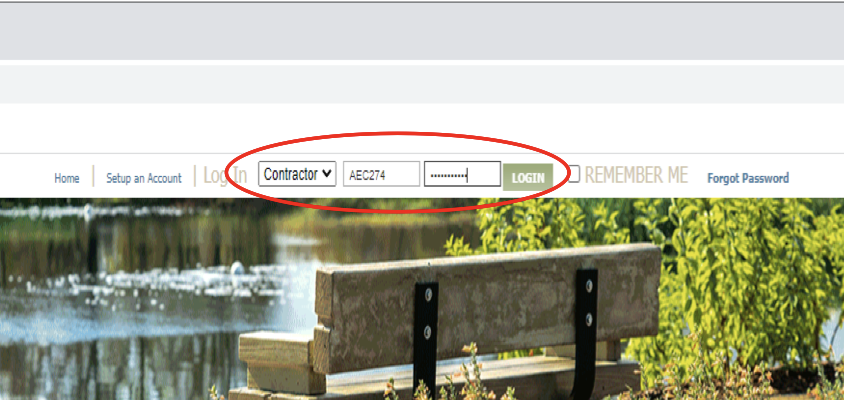
Log in
Log in to eTRAKiT using your username (your contractor’s state license number) and password
-
Open the permit application
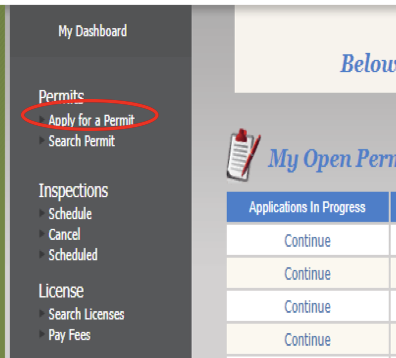
After logging in, your dashboard will appear showing your permit activity.
- Click Apply for a Permit at the top left of the page.
- Click Apply for a Permit at the top left of the page.
-
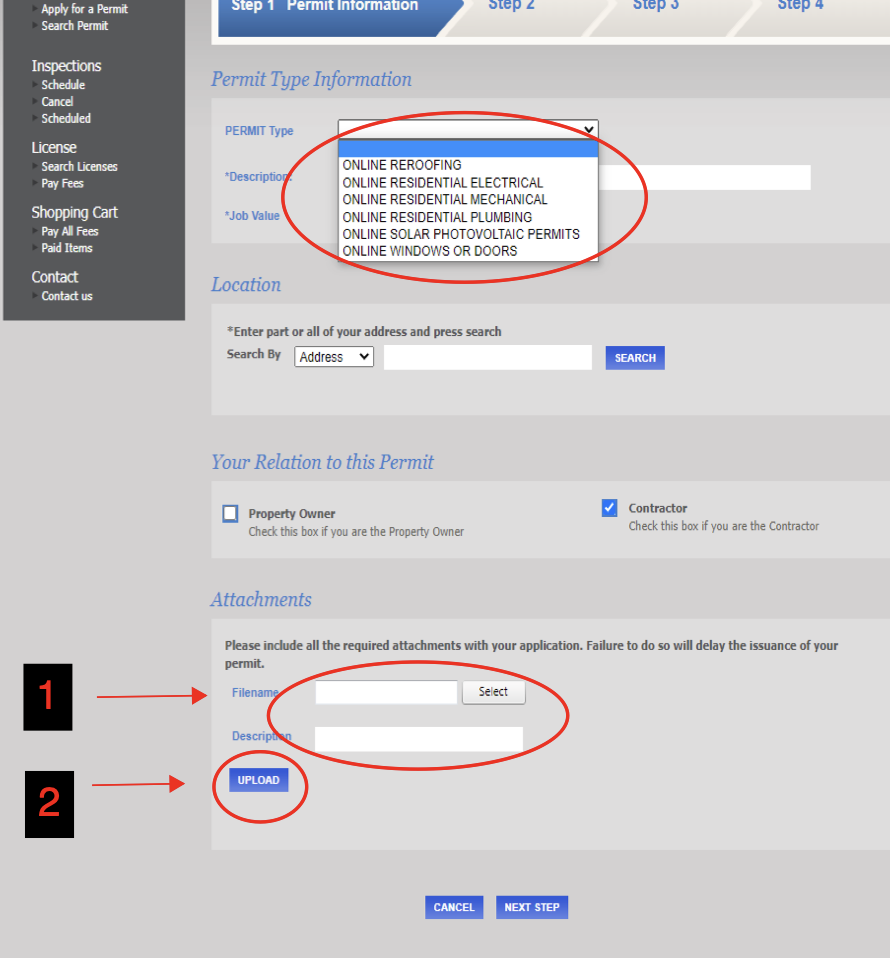
Choose your permit type
Select the Permit Type from the list and fill in all required fields.
- If the permit types listed don’t match your scope of work: submit your application and all required plans and documents through the Building Filedrop instead.
- If the permit types listed don’t match your scope of work: submit your application and all required plans and documents through the Building Filedrop instead.
-
Upload your documents
At the bottom of the page, upload all required plans, supporting documents, and outside agency approvals before moving to the next step. Missing files will delay processing.
- Combine the SMUD letter, specifications, and construction plans into one PDF file.
- Do not use spaces or special characters in file names—use underscores (_) instead.
- When finished, click Next Step.
-
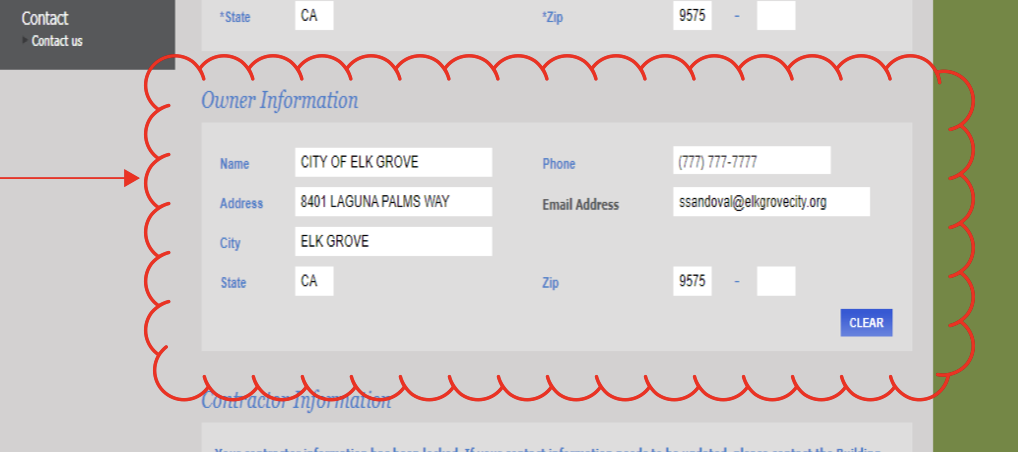
Confirm property details (Step 2)
Review all fields carefully.
- Do not edit the Property Owner Information. This data comes directly from County records and must match them.
- If the property owner information looks incorrect, call our office at (916) 478-2235 for help.
-
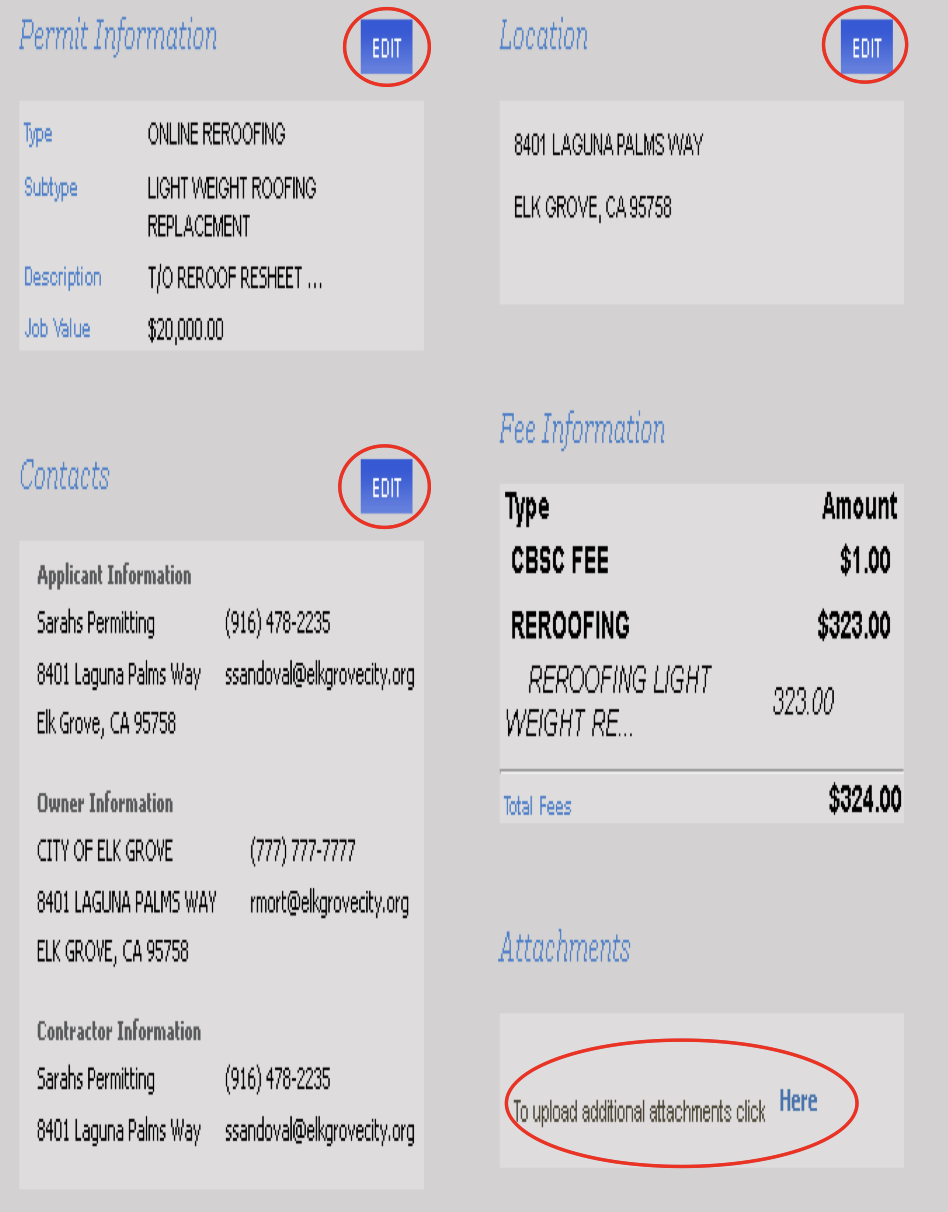
Verify and edit information (Step 3)
Review your application and click the Edit buttons if you need to make changes.
- You can also attach more documents before clicking Next Step.
-
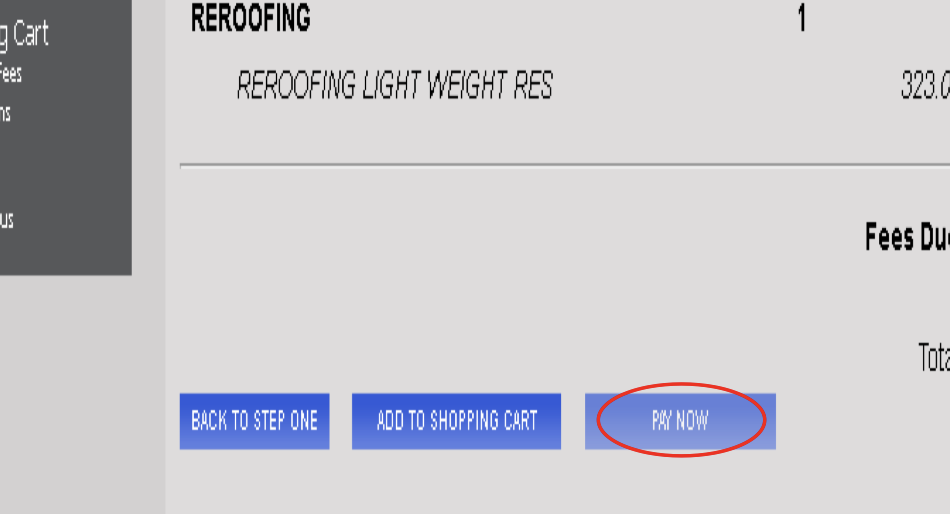
Pay your fees (Step 4)
Click Pay Now to pay your permit fees online.
-
Complete your payment
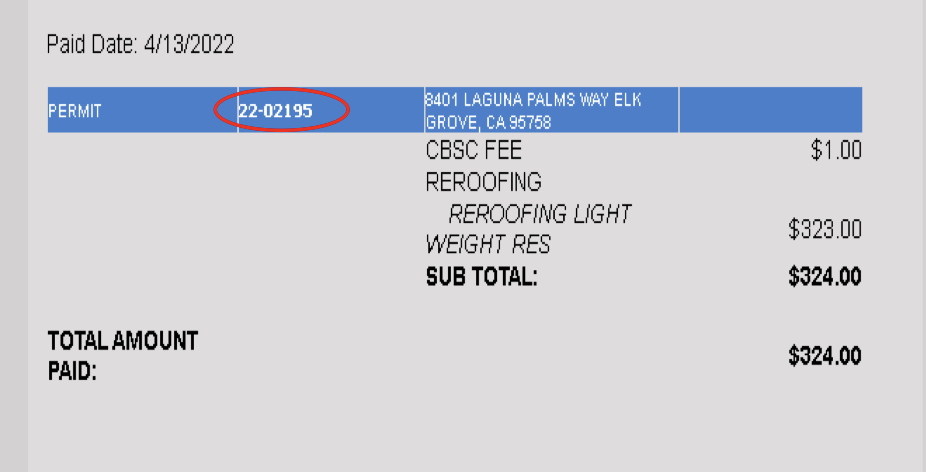
Follow the payment steps. Once payment is received, you’ll see your Payment Summary.
- Write down your application number for future reference.
-
Check your email
You'll receive two separate emails:
- A payment receipt
- An application confirmation from the Building Department
-
Next steps: Plan review
Your building permit will not be issued until your plans are reviewed.
- A Permit Technician will check your application for completeness.
- If accepted, you’ll get an email saying your application was sent to plan review.
- If more information is needed, we’ll email you for clarification.
- Please allow 24-48 hours for processing and notification.